While reviewing Google Ads responsive display ads, this question stood out to me. It gets to the core of why marketers love RDAs — especially those trying to scale performance without juggling multiple designs or ad versions.
Let’s walk through why these two benefits matter and why the other options don’t hold up.
Question:
What are two reasons a marketer might use responsive display ads? Choose two.
- Improved communication: Respond immediately to any website visitor query with an automated speech system or text.
- Cost-effective: Get more conversions at a similar cost-per-acquisition to other Display ad formats.
- Guidance: Give instruction to users on how to adjust ad size, appearance, and format to fit a specific ad slot.
- Extended reach: Create ads that serve in most ad slot sizes, into both native and non-native inventory.
Here are two correct answers:
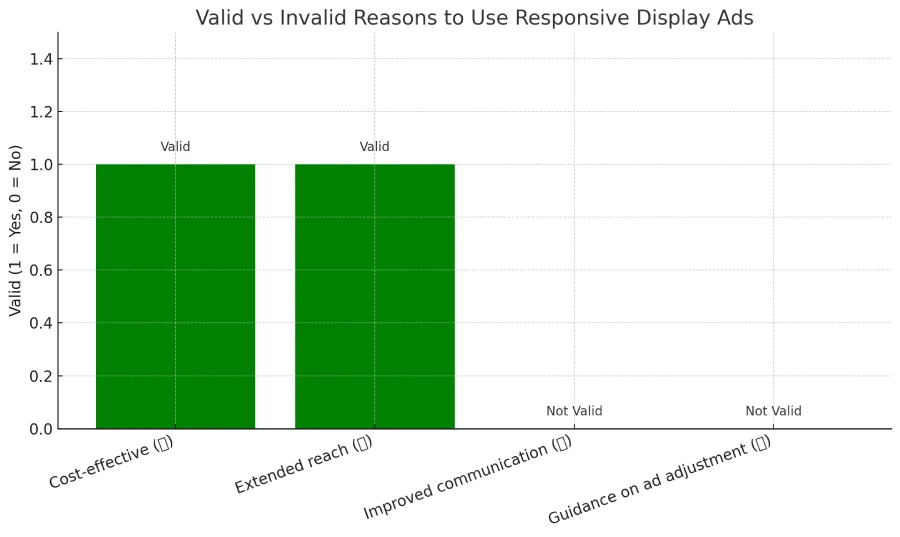
- ✅ Cost-effective: Get more conversions at a similar cost-per-acquisition to other Display ad formats.
- ✅ Extended reach: Create ads that serve in most ad slot sizes, into both native and non-native inventory.
If you’re interested, you can take the exam here: Google Ads Display Certification via Skillshop.
Why These Two Are Correct:
✅ 1. Cost-Effective
Responsive display ads (RDAs) often deliver more conversions without increasing your cost-per-acquisition (CPA). Why?
Because RDAs:
- Automatically optimize combinations of headlines, images, and descriptions
- Use machine learning to show the best performing combo to each user
- Adapt to the user’s device and context
This saves marketers time and budget by eliminating the need to create dozens of static creatives.
✅ 2. Extended Reach
RDAs are built to fit almost every ad space across the Display Network, both native and non-native.
Benefits:
- Automatically resize to fit any device or screen size
- Run across millions of websites and apps without manual design tweaking
- Let Google place your ads in more places, increasing impressions and potential conversions
Why the Other Options Are Incorrect:
❌ 1. Improved Communication
- This describes a live chat tool or chatbot system, not an advertising format.
- RDAs don’t directly communicate with users through automated speech or messaging.
❌ 2. Guidance to Users
- Users do not adjust ad size, appearance, or format.
- This sounds like a misunderstanding of how ad rendering works, not a function of Google Ads.
- RDAs do the resizing automatically — the advertiser doesn’t guide the user.
Real-Life Example: Alex’s Ad Agency Win
Alex runs a digital marketing agency that manages display campaigns for a handmade candle brand. His team used to build 15+ ad sizes manually — a slow and costly process.
They switched to Responsive Display Ads and uploaded:
- 3 headlines
- 2 descriptions
- 5 product images
Google automatically tested and combined them. Within one month:
- Reach expanded by 60%
- Cost per conversion decreased by 28%
- Time spent creating ads cut in half 🧠
Quick Comparison Table
| Reason for Using RDAs | Valid? | Why/Why Not? |
|---|---|---|
| Cost-effective | ✅ Yes | Optimize automatically, reducing CPA |
| Extended reach | ✅ Yes | Fits almost any ad slot on native and non-native inventory |
| Improved communication | ❌ No | Refers to chatbots, not ad formats |
| Guidance on ad adjustment | ❌ No | Users don’t control ad rendering — it’s handled by Google |
FAQs
Q: Are responsive display ads better than static banner ads?
A: Yes, for most advertisers. RDAs scale better, perform better, and require less design effort.
Q: Can I control how RDAs look?
A: You can upload your brand assets and preview combinations, but Google ultimately renders the most effective layout.
Q: Do RDAs work for remarketing too?
A: Yes! RDAs are often used in remarketing campaigns for better performance and easier deployment.
Helpful Resources
Final Answer:
The two valid reasons a marketer would use responsive display ads are:
✅ Cost-effective performance, and
✅ Extended reach into native and non-native inventory across more placements.
RDAs are a smart choice for scaling campaigns efficiently — especially when budget and time are tight.
Conclusion
If you’re a busy marketer or business owner, Responsive Display Ads are one of the easiest and smartest ways to scale your Display campaigns.
With just a few headlines, images, and descriptions, Google does the heavy lifting—testing combinations, adjusting ad sizes, and maximizing placements automatically.
👉 The result?
More conversions, broader reach, and less time managing creatives.
So, remember: if you’re aiming for performance and flexibility, RDAs give you both — with cost-efficiency and extended reach baked right in.
Keep practicing these concepts and you’ll not only ace the Google Ads exam, but run smarter campaigns too. 💡
- About the Author
- Latest Posts

Bhupati Barman is a Co-founder of Mite Art, as well as an Entrepreneur, SEO Optimizer, and Blog Writer, covering a variety of interesting topics.